Introduction: Be Everywhere, All at Once
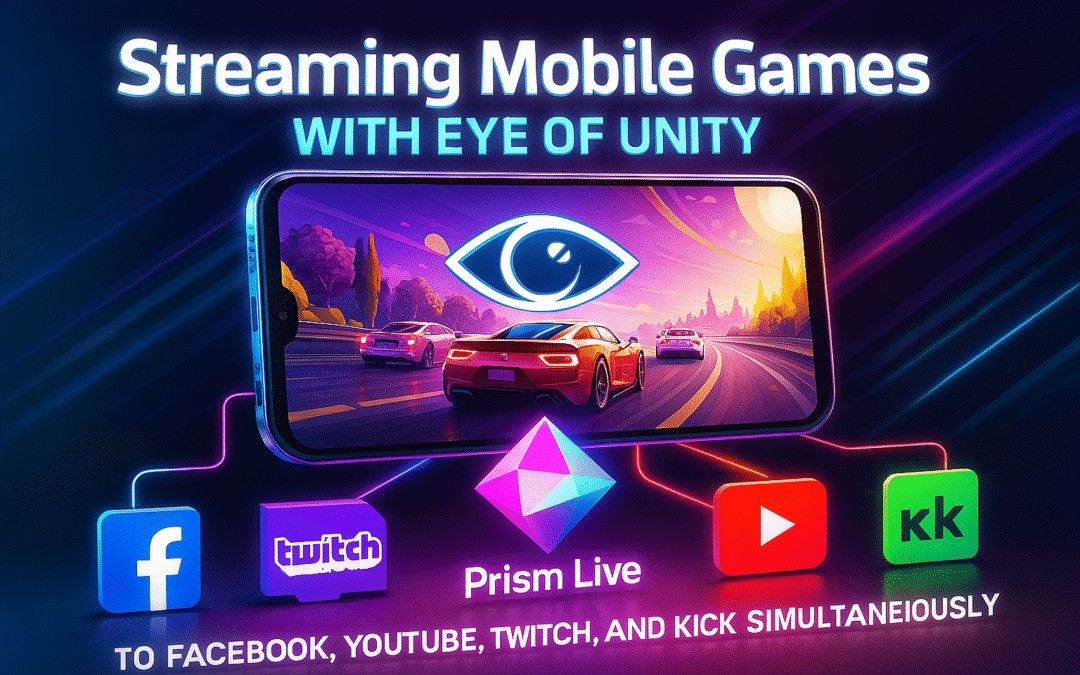
Welcome to the golden age of live streaming, where being locked into one platform just isn’t enough! Whether you’re a gamer, artist, educator, or community builder, your potential fans, students, and followers are scattered across the digital universe. Imagine hitting “Go Live” once and instantly captivating audiences on Facebook, YouTube, Twitch, and Kick—all at the same time. The future of digital content is cross-platform, and Prism Live Studio is your rocket ship.
Here’s the even more irresistible twist: if you’re part of the rising Eye of Unity movement—where NFTs, community, and interactive participation blend—you’re not just streaming. You’re pioneering next-level community engagement, digital collectibles, and participatory culture, with Prism Live bridging everything together.
Why Multi-Stream? The Jackpot of Audience Reach
Multi-streaming—the art of broadcasting your content to multiple platforms simultaneously—isn’t just hype. It’s the new reality for creators who want to diversify, protect, and hypercharge their audience growth. Here’s why:
Expanded Reach & Platform Independence
Not everyone prefers the same platform: Twitch draws young gamers, YouTube grabs evergreen searchers, Facebook attracts older communities, and Kick (the fast-growing contender) is becoming THE spot for unfiltered, next-gen conversations. Multi-streaming means everybody wins—viewers tune in wherever they’re comfortable, and you’re not at the mercy of any single algorithm or policy change.
Easier Community Building (and Insurance!)
Each audience you cultivate on a platform is a hedge against policy changes, demonetization, or shifting trends. If Twitch modifies its rules or Facebook throttles reach, your tribe on YouTube or Kick still exists. Multi-streaming is digital insurance.
Increased Engagement and Cross-Promotion
Imagine merging the meme-filled energy of Twitch chat with the supportive family and friends on Facebook—or the forward-thinking NFT enthusiasts in Eye of Unity’s Discord. Multi-streaming lets you spark buzz and cross-pollinate audiences; your fans on one platform might become superfans on another.
Monetization Without Limits
Each platform offers different ways to earn: Twitch subs and bits, YouTube Super Chat, Facebook Stars, Kick’s subscription split. Why choose just one when you can go for all at once?
Real-Time Analytics and Feedback
Streaming everywhere means more data. See which platform rakes in the most viewers, track what content performs best, and evolve your strategy in real time.
Pro Tips for Multi-Streaming Success
- Consistency is king! Keep your branding, overlays, and stream titles coherent across all platforms.
- Use each platform’s strengths—such as Facebook Events, YouTube archiving, Twitch emotes, and Kick’s fresh community vibe.
Meet the Tools: Prism Live Studio and Eye of Unity
Prism Live Studio: Your All-In-One Multistream Powerhouse
Prism Live Studio is a next-gen live streaming app (available on desktop and mobile) that lets you stream to up to 6 platforms simultaneously in beautiful HD. Both the desktop and mobile apps are designed for absolute usability, with a rich set of tools including:
- Drag-and-drop overlays and effects
- Integrated multi-platform chat
- Webcam, screen, or external capture sources
- Direct integration with Twitch, YouTube, Facebook; RTMP presets for Kick
- Widget support: ticker, polls, countdown, viewer count, and GIFs
- Mobile app remote for controlling desktop production
Prism Live is winning fans because it’s simple, flexible, and works out of the box—no clunky plugins or complicated setup steps required.
Eye of Unity: Where Your Stream Becomes an Experience
Eye of Unity is far more than an NFT collection—it’s a vision for a participatory, decentralized internet where creators, collectors, and communities can build interactive experiences together. Whether you’re minting free NFTs for your audience, hosting watch parties, or running blockchain-powered games, Eye of Unity’s ecosystem is designed to empower both fans and creators.
What makes Eye of Unity special for streamers?
- NFT-powered engagement: Run a giveaway or mint special event tokens during your stream.
- Integrated Discord community: Real-time participation transcends just watching.
- Gamification and digital ownership: Fans can own moments of your stream, become VIPs, and unlock secret perks.
Pair Eye of Unity with Prism Live, and you’re not just broadcasting—you’re creating events that can be owned, replayed, and cherished.
Learn more about Eye of Unity’s mission and tools.
Getting Started: Multi-Streaming Workflow with Prism Live
Let’s roll up our sleeves and set you up for streaming glory.
Step 1: Download and Install Prism Live
- Get the Prism Live Studio Desktop app (Windows/macOS)
- Get the Prism Live Studio Mobile app (iOS/Android)
Both versions offer simultaneous streaming, effects, chat, and overlays. Desktop is ideal for pro layouts and power, mobile is unbeatable for on-the-go IRL streams.
Step 2: Connect Your Streaming Platforms
Prism Live supports direct connections for Facebook, YouTube, and Twitch. Kick, and other custom platforms, use RTMP, but the app provides handy presets for easy setup.
Connecting Each Platform:
- YouTube:
Log in with your Google account, set up stream title/category, schedule and share stream links for anticipation. - Facebook:
Log in, choose between your personal timeline or a Page (note: Facebook Groups now require manual RTMP stream integration due to recent policy changes). - Twitch:
Log in, pick your game, set chat modes, and configure privacy and engagement tools. - Kick:
Use Prism Live’s RTMP preset to fill in the server URL.- Go to your Kick dashboard, get your stream key under “Stream Key & Info”.
- Paste both into Prism Live’s “Add Channel” (choose Kick from presets, or RTMP).
Smart Hyperlink Quick Access:
Quick Tip
You can add all your channels before going live. Toggle them “on” or “off” depending on which platforms you want to stream to that session.
Step 3: Configure Multi-Stream Settings
- Free users: Stream to one destination at a time.
- PRISM Plus subscribers: Stream to up to six platforms simultaneously.
You can mix auto-integrated channels (like YouTube, Facebook, Twitch) and RTMP endpoints (like Kick or custom destinations), all running in parallel.
- Choose your stream title, category, thumbnail, and privacy for each channel. You can individually edit stream information per platform right from the Prism Live dashboard.
- Click “Go Live”—that’s it! Prism Live starts pushing your broadcast to every connected platform.
Step 4: Add Eye of Unity Interactivity
Here’s where you wow your audience:
- Run NFT giveaways: Use Eye of Unity’s “mint now” feature during streams—direct viewers to mint a Movie Night pass or community badge as an NFT right from your chat or description.
- Discord interaction: Invite your audience to join the Eye of Unity Discord for real-time watch parties, chat, or live polls.
- Overlay QR codes: Display QR codes linked to Eye of Unity events or NFT grabs as on-screen widgets in Prism Live.
Beyond just watching, your viewers can own a piece of your stream, participate, and unlock exclusive rewards.
Step 5: Manage Multi-Platform Chat Like a Pro
Prism Live bundles chat from all your connected platforms into one window on desktop, or a handy swipeable overlay on mobile.
Best Practices:
- Greet viewers by platform name occasionally: “Thanks for the Super Chat on YouTube!” or “Welcome, Kick gang!”
- Use platform-specific emotes/rewards to make each community feel seen.
- Consider adding a PRISM Chat widget overlay so your on-screen community feels unified.
- Assign mods (friends or trusted viewers) on each platform if your channel is growing—so you never miss a VIP chat.
Setting Up Multi-Stream on Prism Live: Step-by-Step Cheat Sheet
Below is a summarized table for reference, with platform-specific setup tips:
| Platform | Integration Type | Steps to Connect | Key Features/Settings |
|---|---|---|---|
| YouTube | Direct | Log in, set schedule, customize title/category | Stream latency, DVR, overlays |
| Direct or RTMP | Log in, pick Timeline/Page, set permissions | Control privacy, location | |
| Twitch | Direct | Log in, set category, enable chat modes | Game, chat restrictions |
| Kick | RTMP Preset | Paste server URL & stream key from dashboard | Supports HD, low latency |
Prism Live lets you turn on/off each platform as you like. Most settings can be dynamically altered even after you’ve gone live.
Elaboration:
Each platform comes with its quirks. YouTube allows DVR (so users can rewind), detailed scheduling, and category tags. Facebook requires correct permission settings and, due to recent policy changes, no longer allows group streaming by API—you must use custom RTMP for groups. Twitch has robust community controls like Followers-Only Chat. Kick, the newest upstart, is only available via RTMP integration, but streams flawlessly with presets in Prism Live.
Multi-Streaming from Prism Live Studio Mobile: Go Live from Anywhere
Prism Live’s mobile app (iOS/Android) allows creators to set up and run parallel broadcasts just like the desktop app. Here’s how:
- Download Prism Live Mobile.
- Tap “Ready,” choose your content type (Video, Live, or Photo), then connect platforms via “My Channel.”
- With a PRISM Plus subscription, toggle multiple destinations (6 max) on the “Add Platform & My Channels” screen.
- If you need RTMP, tap “Custom RTMP” and fill in the Kick info as above.
- Hit “Go Live.” You’re streaming everywhere, even on the move.
Mobile also supports touch-based stickers, mobile chat, GIPHY integration, and the ability to pull in VTuber characters or PNGtuber overlays for faceless streams.
Mastering Eye of Unity Integration: Make Streams Unforgettable
Eye of Unity supercharges your multistreaming impact:
- Mint Digital Mementos: Reward viewers with on-stream QR codes to mint a Movie Night NFT—turning any stream into a collectible moment.
- Host Decentralized Events: Throw a “Movie Night” or interactive watch party, with NFTs as tickets—let fans join and chat in your Eye of Unity Discord room.
- Community Giveaways and Leaderboards: Run blockchain-driven leaderboards; spotlight top supporters with NFT badges during your broadcast.
- Grow Your Lore: Eye of Unity lets every event be a story—your loyal viewers become part of a living digital legend, and NFT stories evolve over time.
With every viewer who mints or chats, your community becomes part of your stream’s identity. Prism Live overlays and Eye of Unity’s digital infrastructure turn passive audiences into active participants.
Why Eye of Unity Stands Out for Creators
Not all NFT or Web3 projects are cut from the same digital cloth. Eye of Unity stands out for:
- Free, unlimited mint NFTs: Audience members can join, own, and participate without paying gas, fees, or falling into FOMO traps.
- Community-powered experiences: Unlike shallow drops, Eye of Unity builds ongoing narratives and events.
- Transparency and inclusivity: Open smart contracts, clear rules—everyone’s welcome.
- No whales, no gatekeeping: Unlimited participation means everyone can join the movement.
This levels the playing field for streamers of all sizes; your audience can dip into NFT tech without any barriers.
How Prism Live Stacks Up vs OBS and Other Multistream Tools
| Feature | Prism Live Studio | OBS Studio w/ Plugins | Restream / Streamlabs Ultra |
|---|---|---|---|
| Native Multistream | Yes (6 platforms) | With RTMP plugin, manual | Yes (cloud, various platforms) |
| Chat Aggregation | Yes (most platforms) | Not natively, plugins req. | Yes (web dashboard/app) |
| Ease of Setup | Very easy | Technical (RTMP needed) | Easy/Medium, web-based |
| Mobile Support | Full-featured apps | Limited via 3rd party | Web/mobile |
| Integrated Effects | Loads: GIFs, AR, etc | Manual (sources/plugins) | Good overlays/themes |
| Cost | Free, Plus for Multi | Free | Free/basic, paid for features |
| Kick Support | RTMP preset | Manual RTMP | Yes/can integrate |
Analysis:
OBS is powerful and free, but requires technical knowledge—especially for multistream setups (multi-RTMP plugin required). Third-party chat plug-ins can be unwieldy. Restream is a rock-solid cloud solution but costs more, especially at scale, and some features require recurring fees. Prism Live balances accessibility, flexibility, and rich feature sets—on both desktop and mobile.
For multi-platform creators who want powerful, easy-to-use tools without a steep learning curve or heavy fees, Prism Live Studio is a winner.
Multi-Platform Chat Management: Superhero Mode
It’s one thing to be live; it’s another to have five different chats going! Prism Live gives you two killer options:
- Chat Dock (Desktop): Aggregates messages from all supported platforms. Each tab is a platform, or choose “All” for a merged feed. Reply to all chats, or individually; delete spam instantly.
- PRISM Chat Widget (Overlay): Display a combined chat on-screen, making your integrated community visible to everyone.
- Mobile Swipe Chat: Prism Live mobile makes it easy to swap between chatrooms quickly.
Tips for success:
- Announce in your overlay or verbally how you handle chat—viewers appreciate transparency if you can’t get to every message.
- Use “!socials” bots or commands to post your presence on other platforms and encourage followers to connect everywhere.
- Empower moderators per platform for safety and engagement, especially as your audience grows.
Best Practices for Multi-Streaming Brilliance
Technical Pro Tips
- Internet: Use wired if possible. For multi-HD streams, 10Mbps+ upload is a must. If you’re using cloud relays (Restream, Streamlabs), one outgoing stream will suffice, but direct-to-platform streaming may require more bandwidth.
- Bitrate and Resolution: Stick to 6000kbps max (Twitch’s limit); 1080p60fps is generally accepted by all, but check each platform’s limits.
- Test, test, test: Run private or unlisted streams before going live everywhere.
- Monitor in Real Time: Watch for dropped frames, CPU spikes, or chat lag. Adjust as needed.
- Brand Consistency: Use the same overlays, intros, and stream title formats to harmonize your presence across platforms—this improves cross-following and recognition.
Engagement
- Interact often; call out new viewers by platform. “Welcome, YouTube squad!” creates personal bonds.
- Run mini-events, like NFT drops or trivia, to keep energy high—use Eye of Unity’s minting and token distribution tools to reward participation.
- Integrate polls and live feedback through overlays to keep your streams dynamic and reactive.
Troubleshooting & Resiliency
- Frame Drops: Lower output resolution/FPS or close background programs.
- Connection Errors: Double-check stream keys and account authorizations; for Facebook, make sure permissions are up to date and you meet new livestream eligibility.
- Audio/Video Sync: Test on each platform and tweak Prism Live settings as needed.
- Platform Policies: Twitch now allows simulcasting for most users, but check for specific contract restrictions if you’re an Affiliate or Partner—never violate exclusivity agreements.
Kick: The New Frontier in Streaming
Kick is quickly emerging as a rival to Twitch and YouTube, thanks to its generous creator revenue split (80/20), open policies on content, and a young, global audience:
- As of 2025: Kick boasts over 100 million registered users and 5 million daily streams. Over 60% of streams are gaming, and 20% are IRL or “Just Chatting”.
- Fastest-growing demo: urban males aged 16-24, with a strong presence in North America and Europe.
- Kick supports 4K streaming, robust chat features, and mobile accessibility.
- About 85% of Kick creators also stream or upload content on YouTube or TikTok—multi-platform synergy is the norm, not the exception.
Kick’s meteoric growth means being present there is a must for cutting-edge creators. With Prism Live’s custom RTMP integration, it’s as easy as copy-paste.
The Streaming Landscape: Trends & Future Growth
The global streaming market is ballooning: over 5.5 billion users frequent digital platforms, with growth led by video, gaming, and live interactive events. Youth audiences type less in chat and crave more interactivity—precisely the intersection where multi-streaming and NFT-enhanced content like Eye of Unity events thrive.
- Streaming is everywhere: From smartphones (biggest device market share) to desktops, tablets, and even VR headsets.
- Cloud-based production is rising: Prism Live is future-proof, working on mobile, desktop, and cloud.
- Multi-platform is standard: With content fatigue on single platforms, creators must meet fans wherever they are.
- NFT integration is mainstream: Giveaways, ticketing, interactive collectibles, and decentralized communities (like Eye of Unity’s events) are no longer niche—they’re what audiences expect from groundbreaking creators.
Conclusion:
Being live on one platform is old news. The future belongs to the creators who broadcast everywhere, involve their fans, and leverage the latest in interactive tools. With Prism Live Studio’s simple, robust multi-streaming paired with Eye of Unity’s engagement superpowers, you’ll become a digital legend, not just a broadcaster.
Start here:
- Download Prism Live Studio now
- Connect your Facebook, YouTube, Twitch, and Kick accounts (follow the platform hyperlinks above)
- Join the Eye of Unity revolution—mint NFTs, run interactive games, and invite your viewers to be part of your lore
Your audience isn’t stuck on one app—and neither are you. Go live, everywhere, all at once!
Helpful Links:
System Ent Corp Sponsored Spotify Music Playlists:
https://systementcorp.com/matchfy
Other Websites:
https://discord.gg/eyeofunity
https://opensea.io/eyeofunity/galleries
https://rarible.com/eyeofunity
https://magiceden.io/u/eyeofunity
https://suno.com/@eyeofunity
https://oncyber.io/eyeofunity
https://meteyeverse.com
https://00arcade.com
https://0arcade.com